
Stop drawing 16 zones by hand, calculating areas on a calculator and typing reports for days. Vastu App does the precise analysis on your client's map in minutes, prepares a professional branded report in Hindi or English, and keeps every client, stage and payment organised.
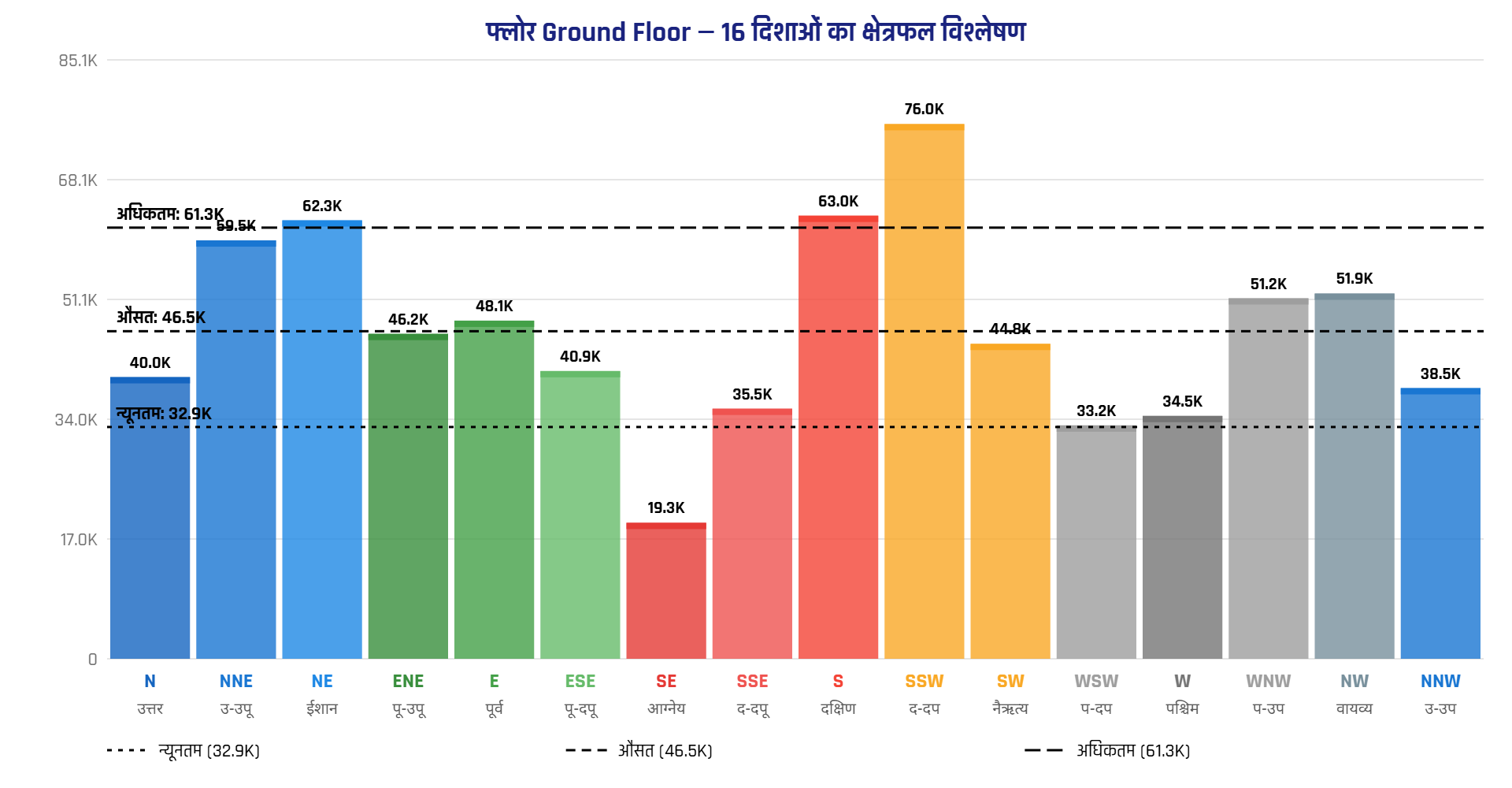 Automatic Bar Graph
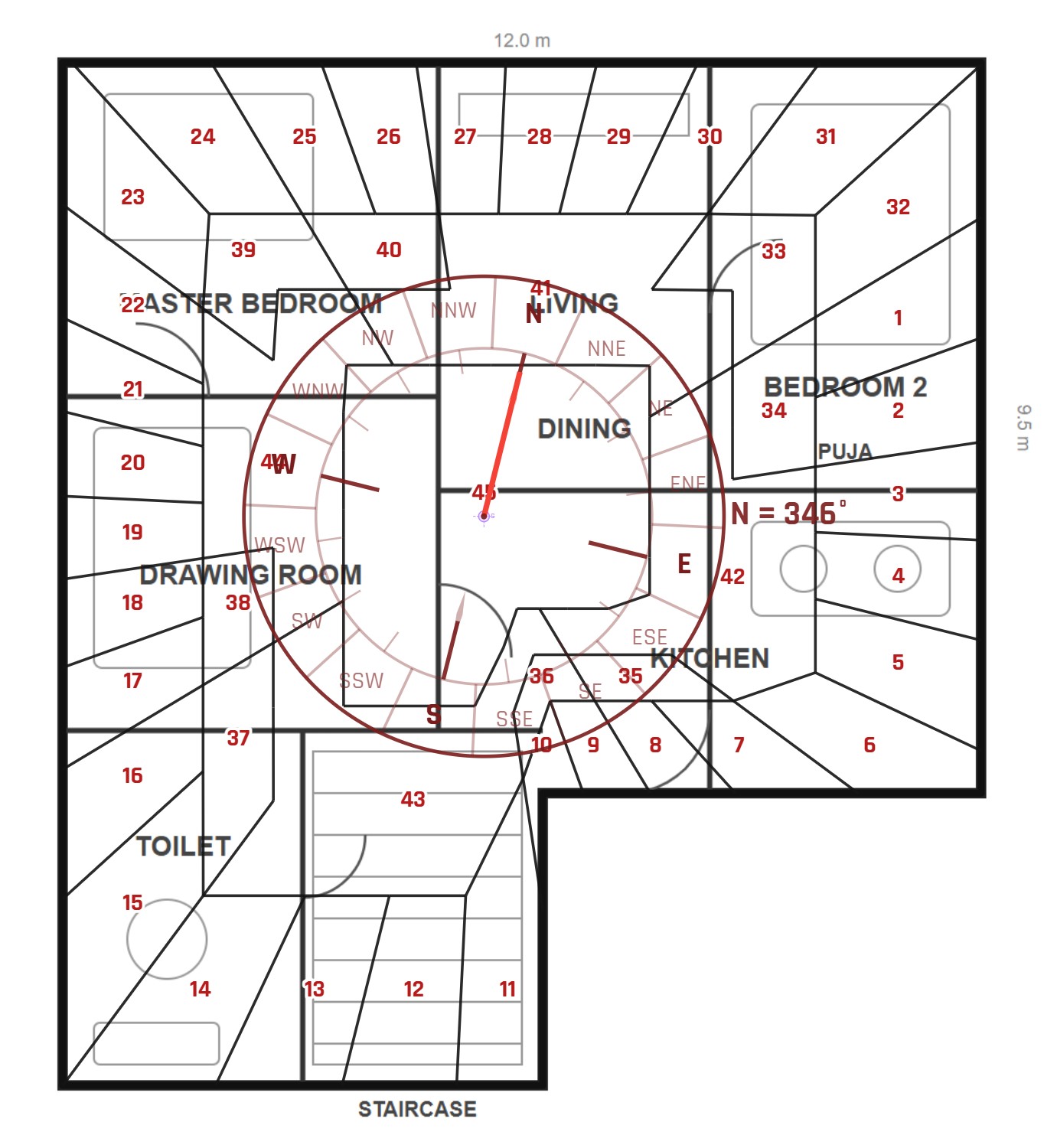 Devta Mandala
A consultant's real value is the advice — but most hours go into drawing, measuring, calculating and paperwork. These are the jobs Vastu App takes off your hands.
Placing the centre, aligning the compass to the true North and drawing 16 or 32 zones on a paper map by hand is slow — and one degree off changes the result.
Irregular plots, cuts and extensions make manual area calculation of each direction error-prone, and the bar chart has to be redrawn again for every change.
Fitting the 45-Devta Mandala onto a client's actual (often irregular) plan is one of the hardest drawings to do by hand.
Typing the effects and remedies for every direction, attaching maps and graphs and formatting a neat report can take days for each client.
Enquiries on WhatsApp, notes in diaries, survey, design and drafting with different people — it is easy to lose track of who is at which stage.
Pending fees, bills and making a strong impression on the client with a presentation that looks as expert as your advice.
The three apps share the same client and project, so the map you analyse goes straight into the report, and the report is linked to the client's job and payment.
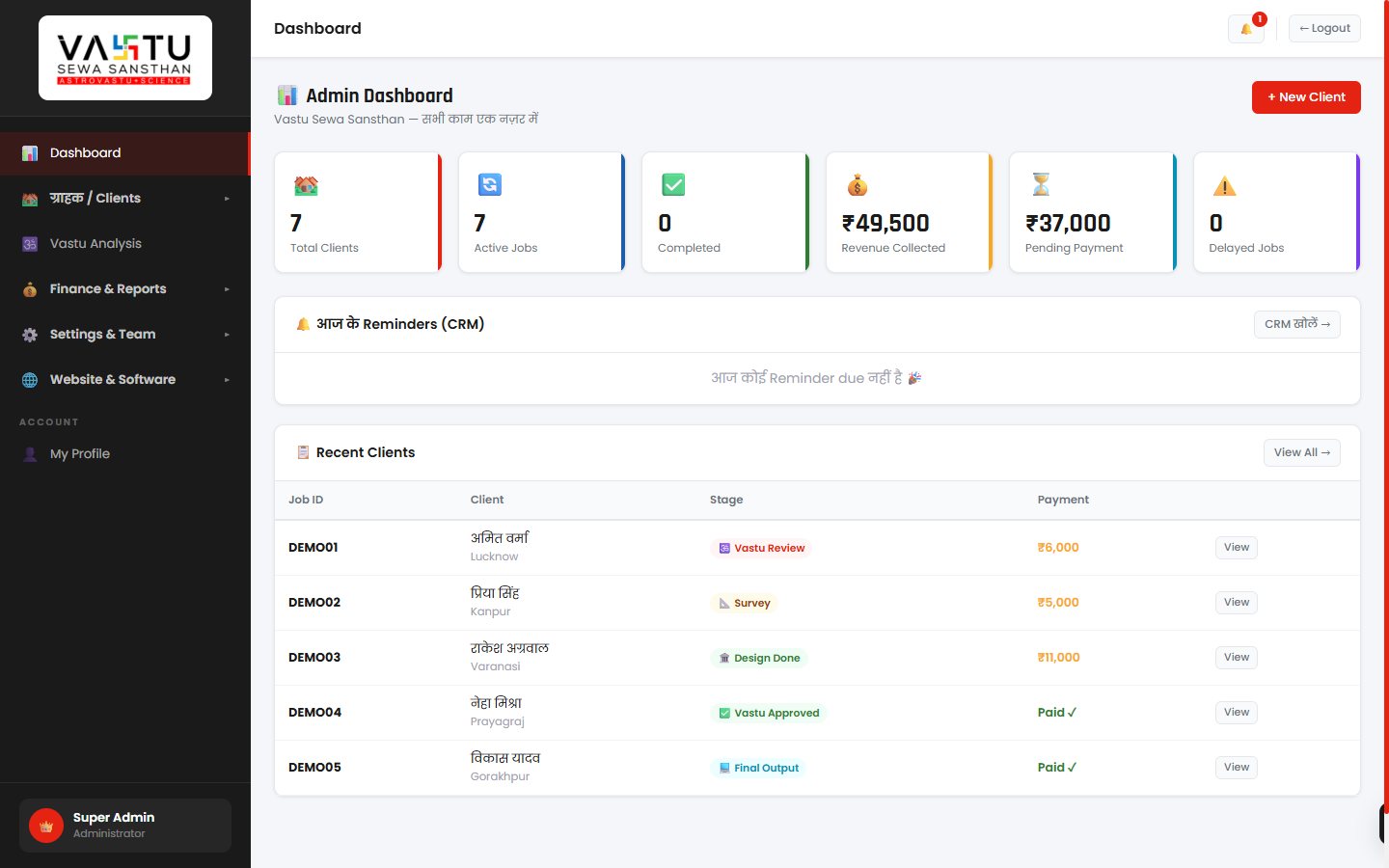
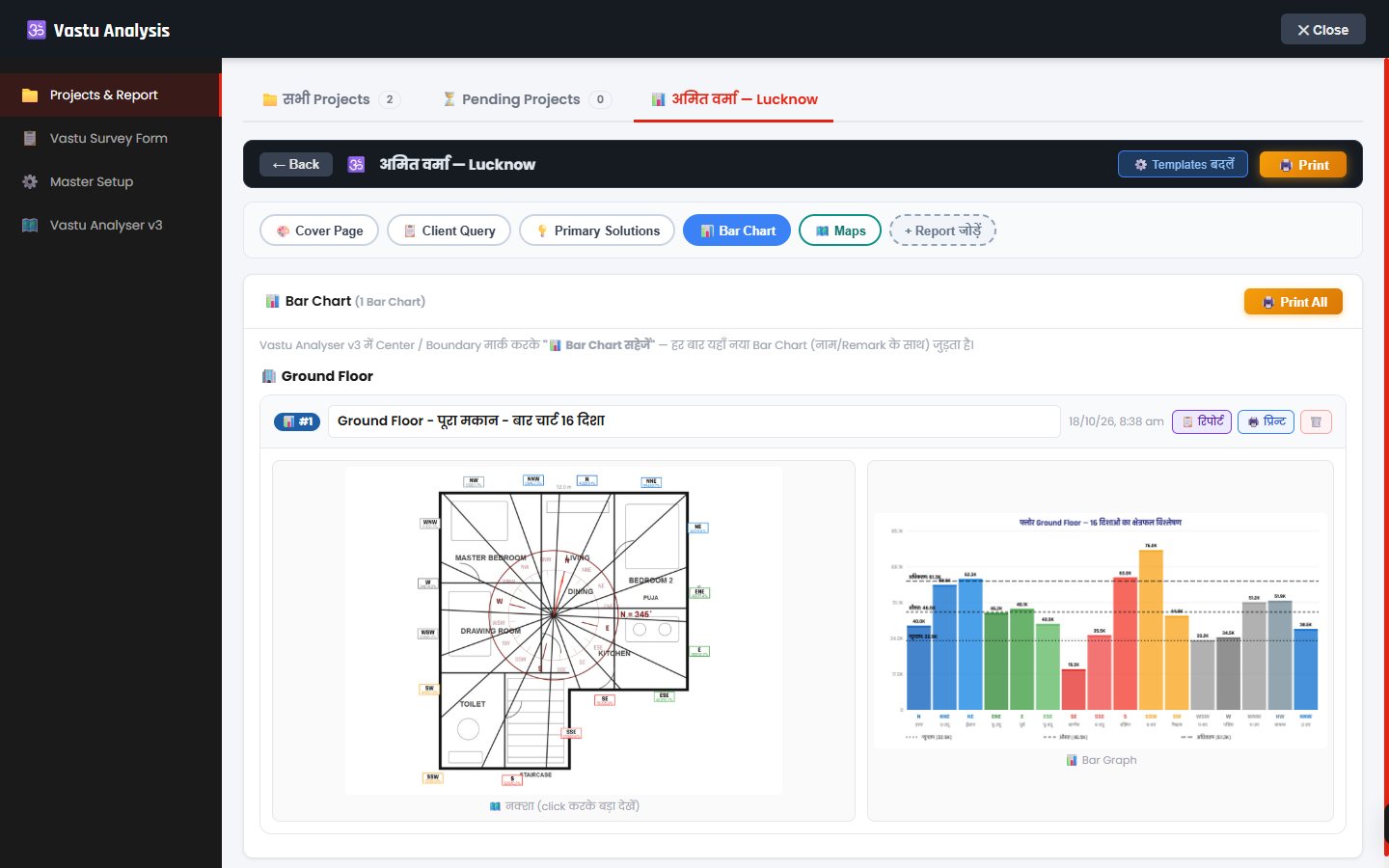
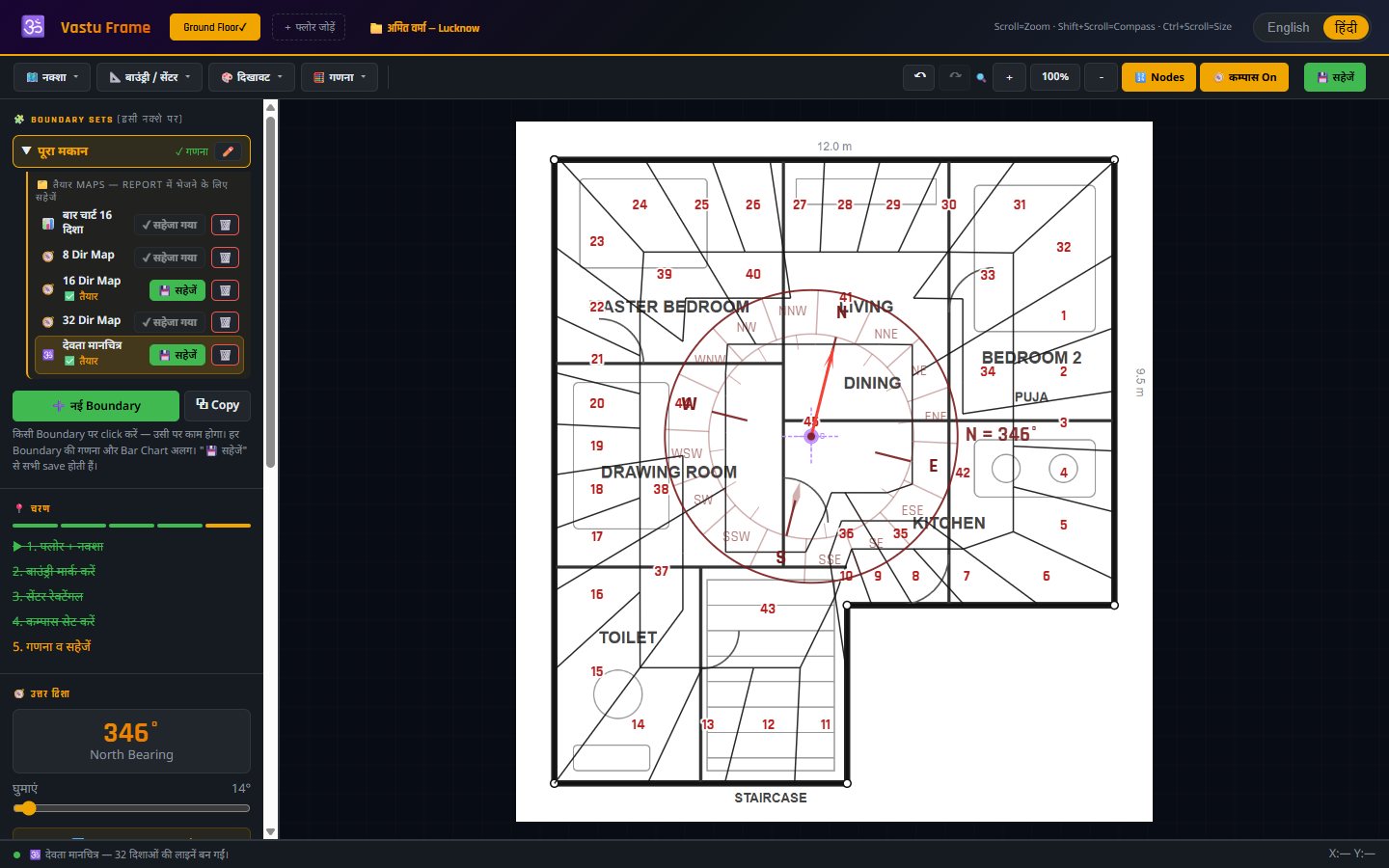
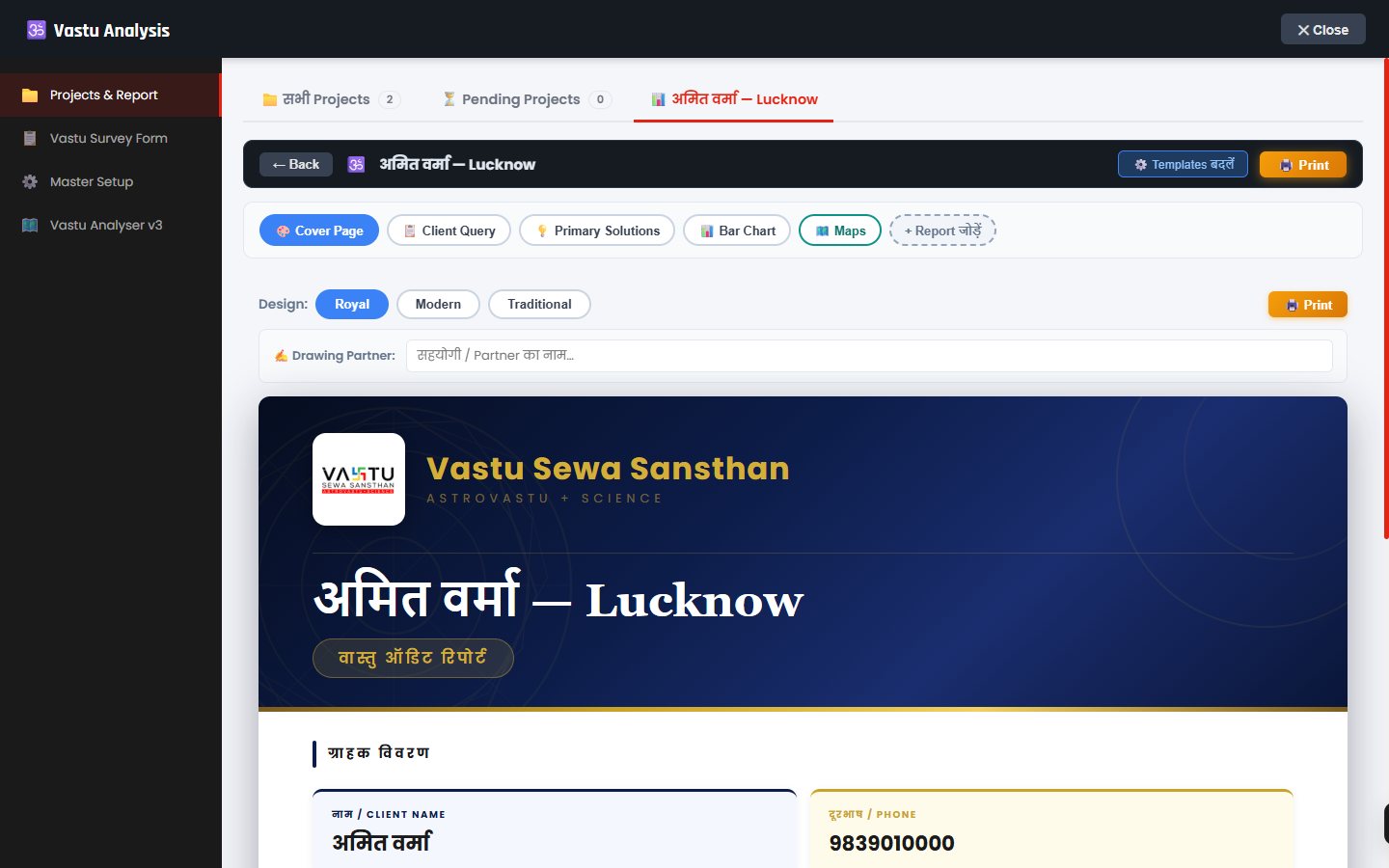
Real screens of the software, used on a sample house plan.
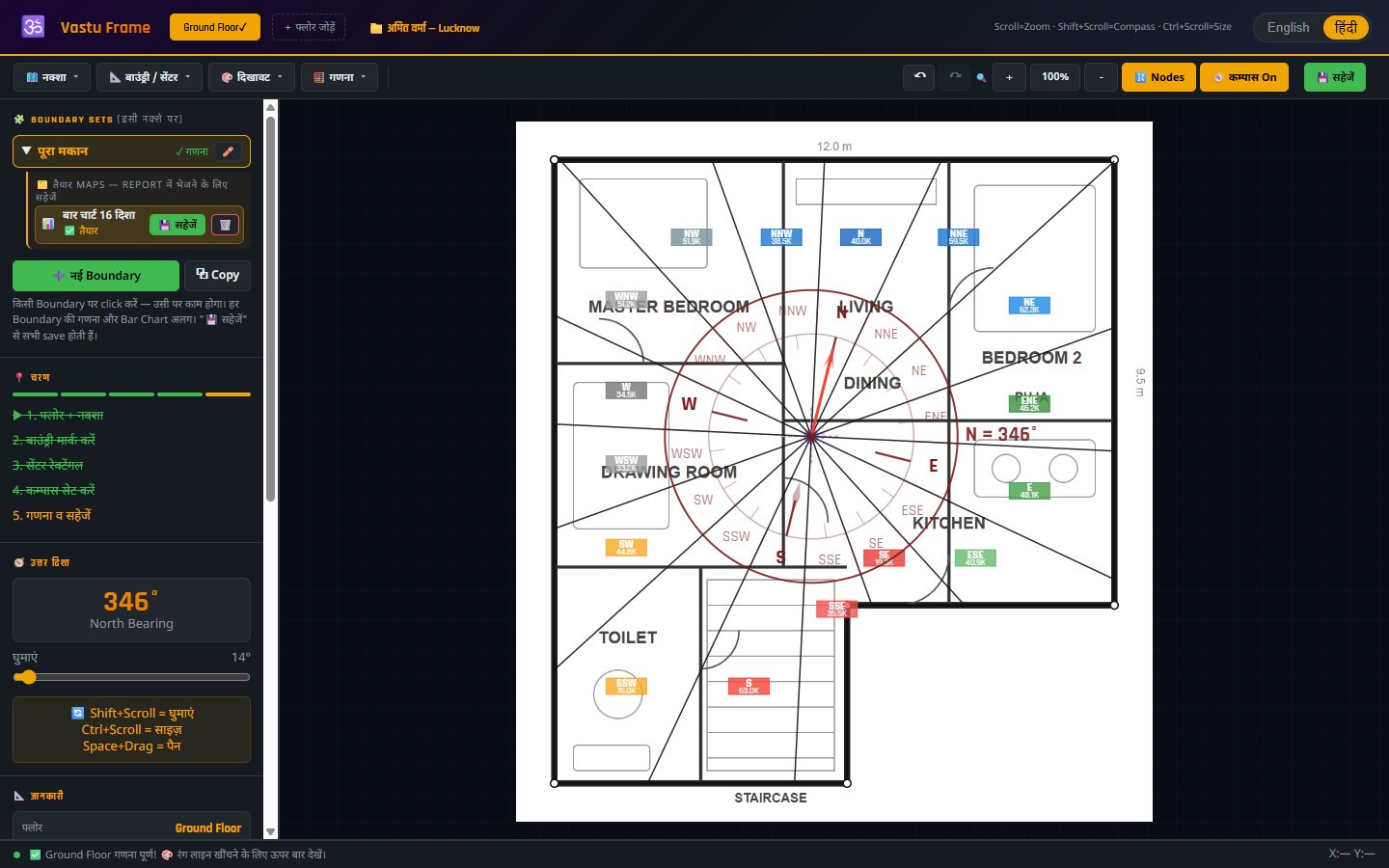
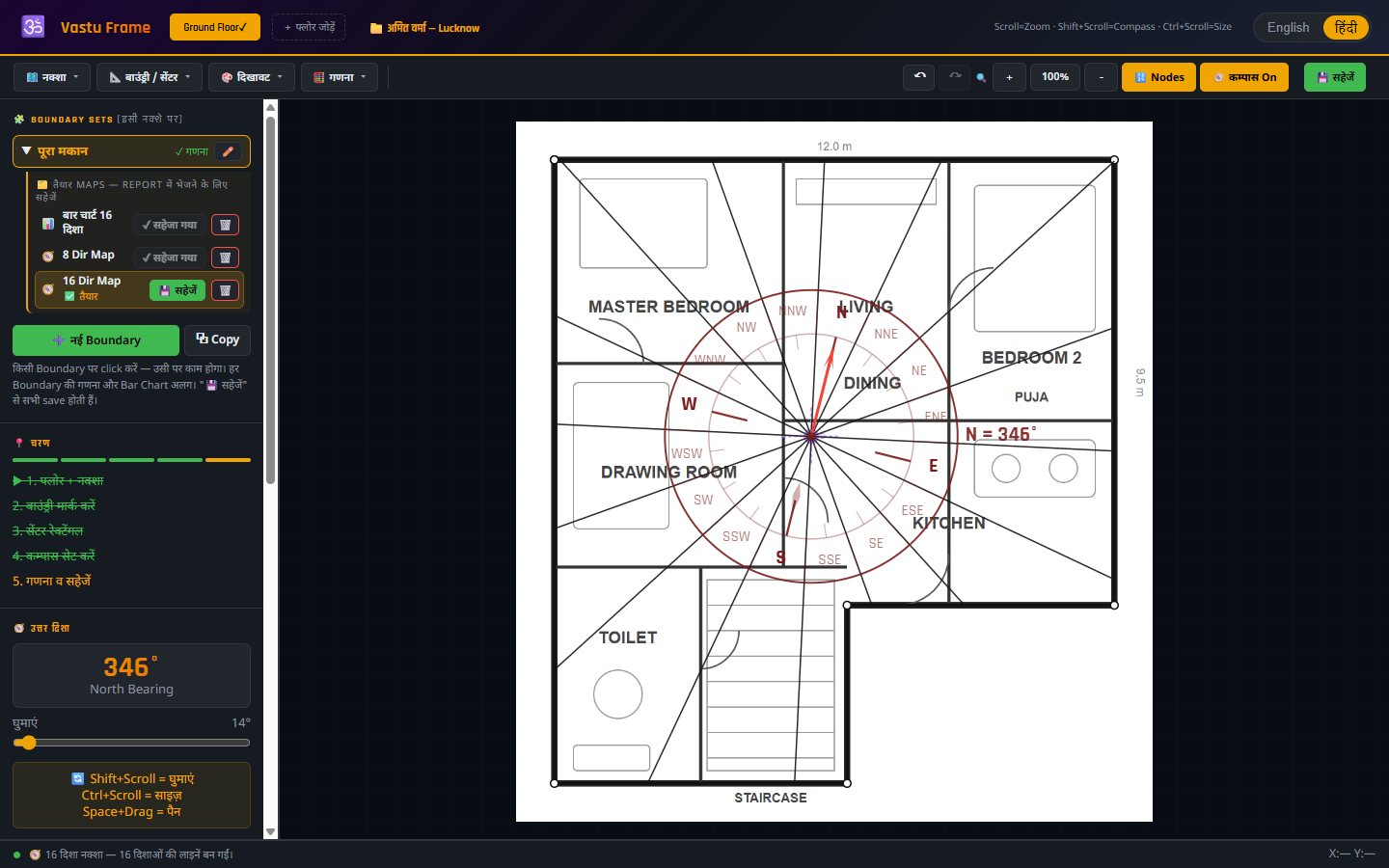
Upload the plan and mark its boundary and centre. Align the compass to the North of the plan. The 16 direction lines are drawn from the centre up to the last wall — even across cut-outs — and the area of each zone is calculated precisely.
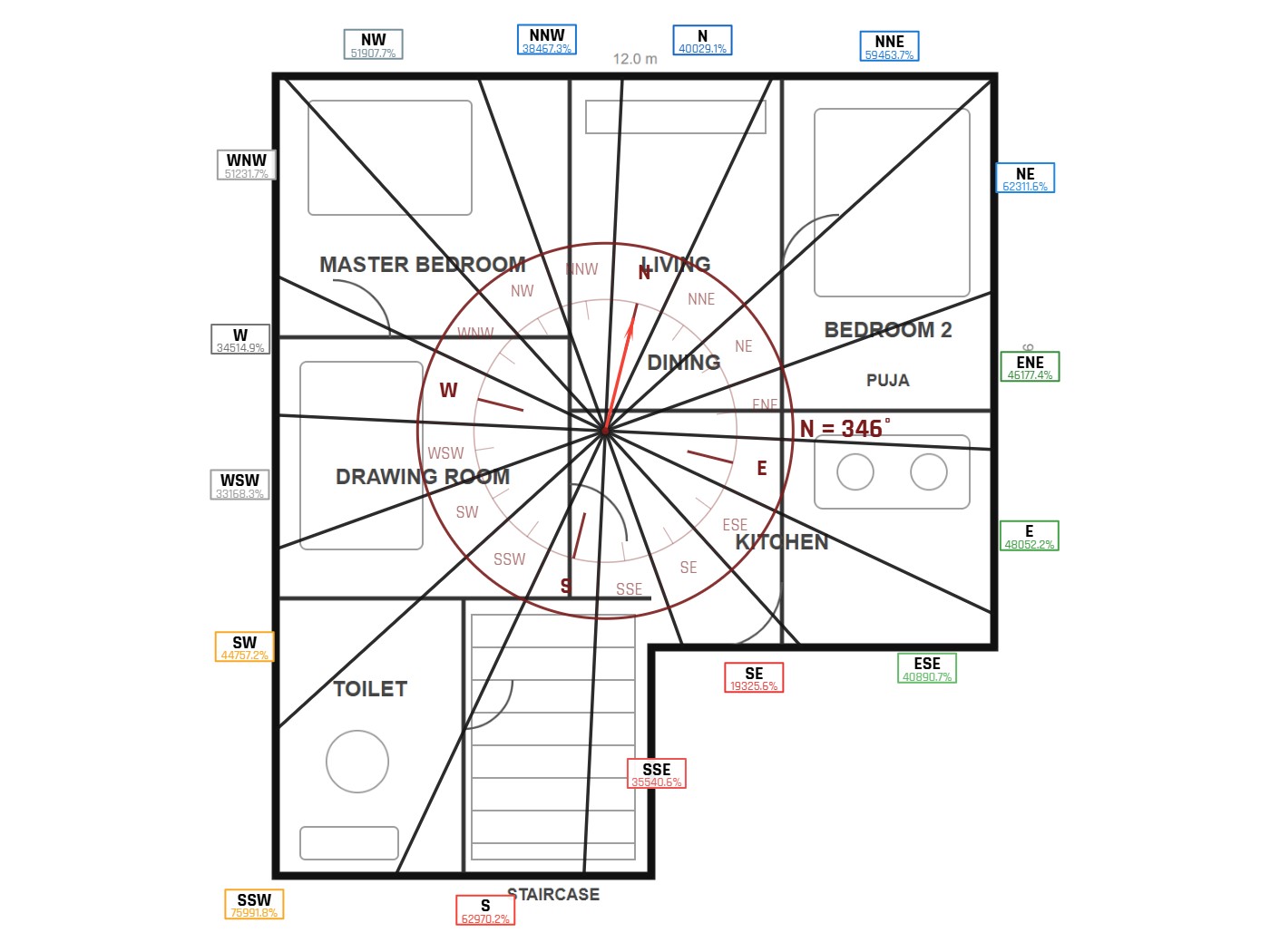
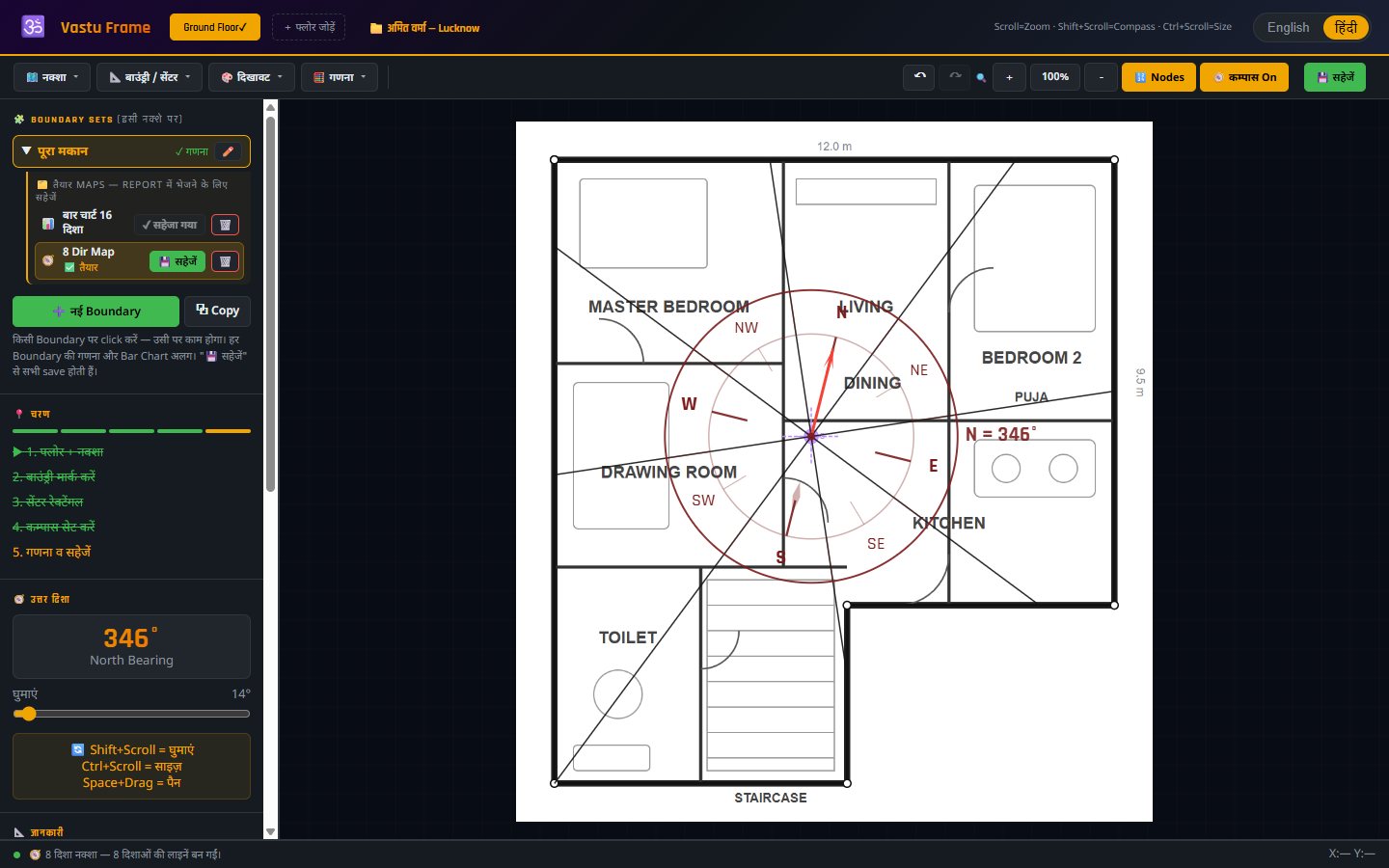
Show the client the 8 main directions with its own 8-direction compass, the 16 zones, or the finer 32-direction division. Each map is kept separately inside the boundary and can be saved to the report's Maps section with its own name.
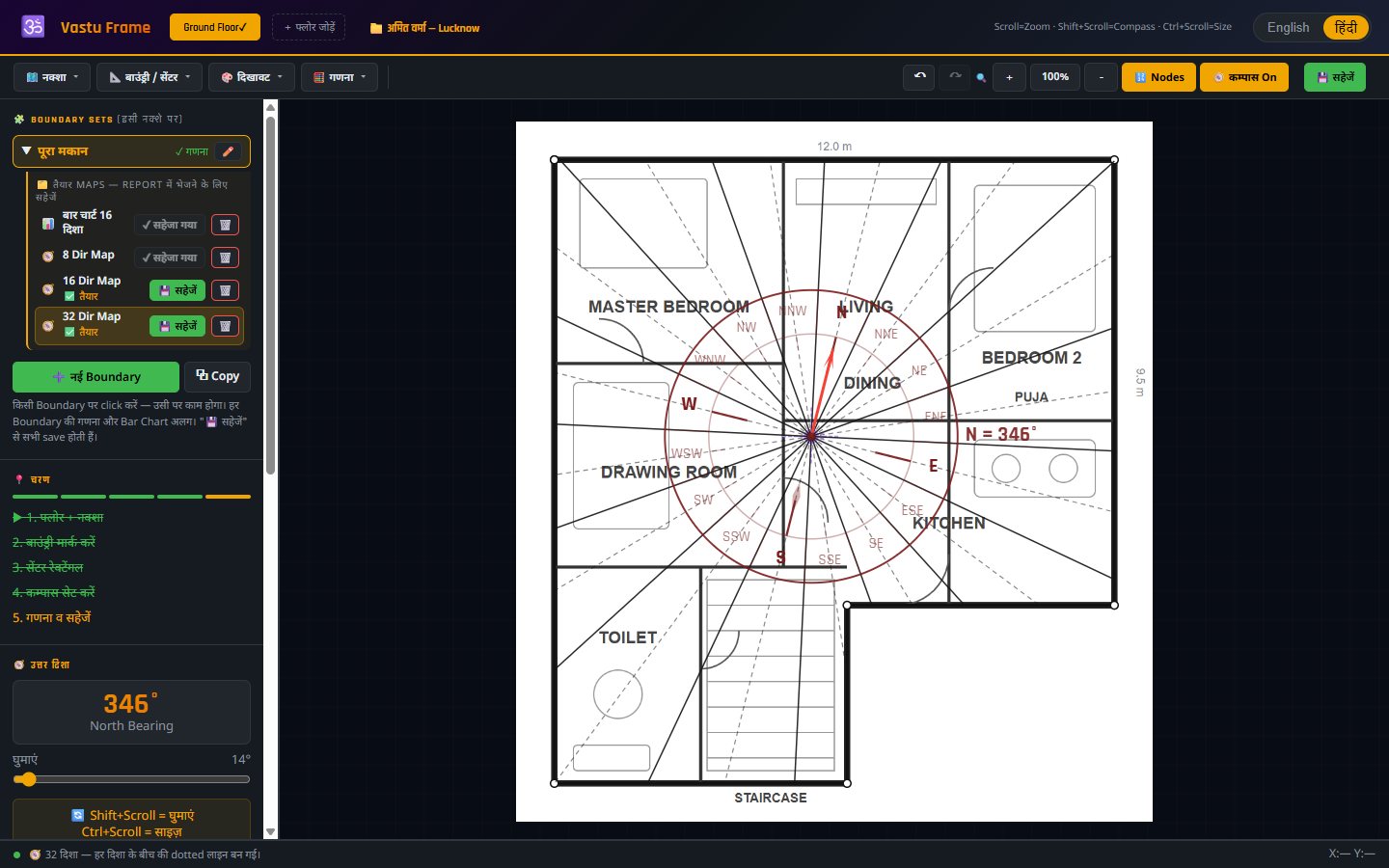
32 direction lines, the inner and outer peripheries at one-third and two-third of the distance, the corner divisions and the 45 Devta numbers — drawn according to the actual shape of the house, clipped to its walls.
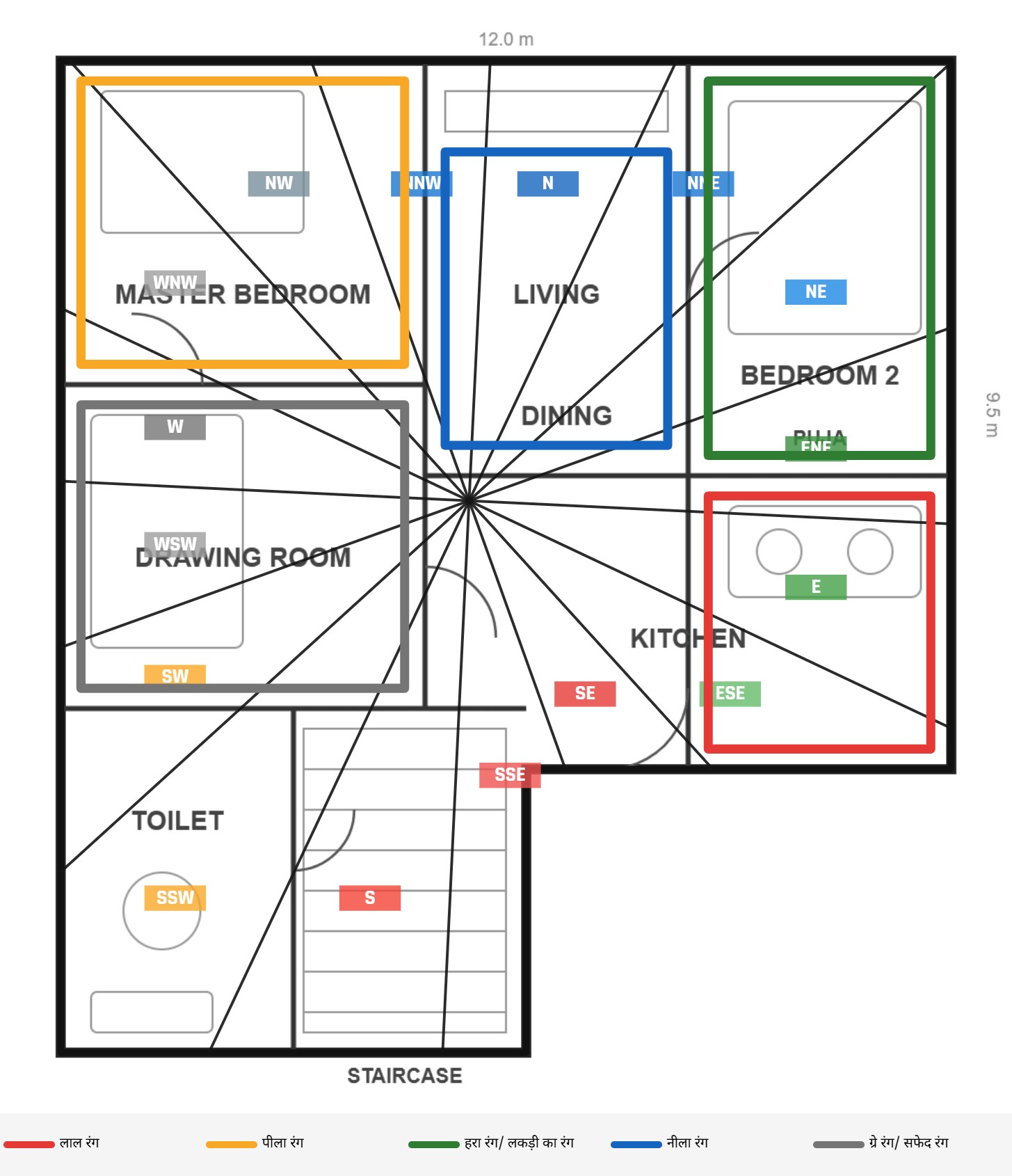
Turn the plan grey and draw coloured lines room by room. Switch the 16-direction grid and compass on or off — the saved map prints exactly as you see it, with a colour legend.
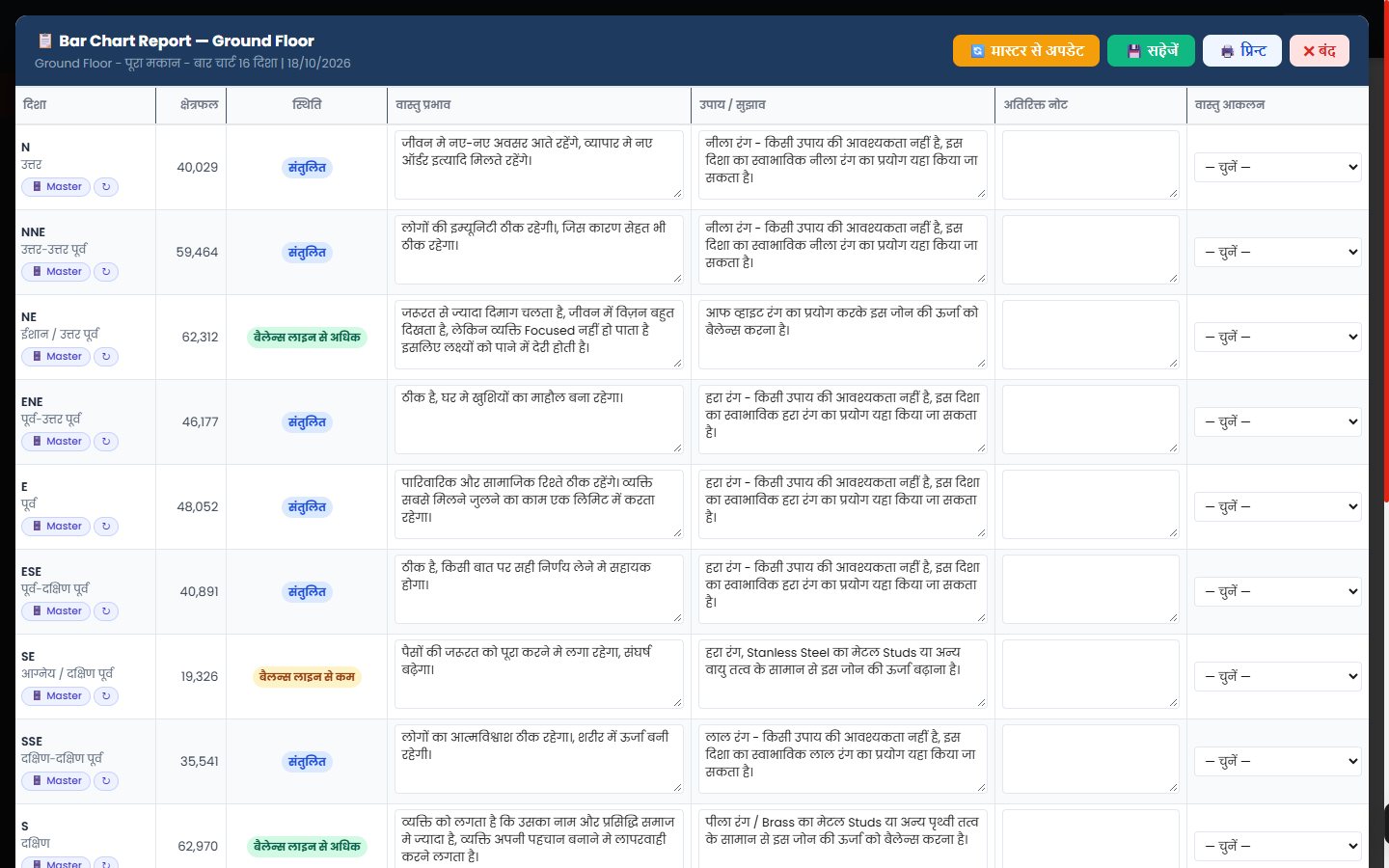
For every direction the report shows the area, its status (balanced, above or below the balance line), the Vastu effect and the suggested remedy — taken from your own master data for that property type. Add notes, change anything, and print.
 Vastu AuditBAR CHART · 16 DIRECTIONSBAR GRAPH · BALANCEDEVTA MANDALA
Cover page, client details, 16-direction bar chart with exact areas, direction-wise effects and remedies, 8 / 16 / 32 direction maps, Devta Mandala, colour suggestions and floor-wise audit — printed neatly on A4 with your logo.
Every step is recorded, so you and your team always know what is next.
Add the client and service; set a CRM reminder.
Site details and measurements by your surveyor.
Bar chart, direction maps, Devta map, colours.
Effects, remedies, solutions and all maps.
Track fees and part payments; issue the bill.
Print / PDF on A4, or share in the client portal.
Vastu App is made by a practising Vastu institution — for consultants who want their own system, not a generic tool.
Set your company name and logo — cover page and reports carry your brand.
Each software user gets their own login and their own separate database.
Open it in the browser on your laptop or computer, at the office or on site.
Switch the Analyser between Hindi and English with one click.
Add staff — each sees only the work assigned to them.
Property types and direction-wise effects & remedies are ready to use.
Undo / Redo, multiple boundaries and copies — nothing is lost.
Thick, clear lines and readable numbers on A4 paper.
Click any screen to view it larger. (Sample data shown.)
No. Vastu App runs online in your web browser. You get a login ID and password and can start working from your computer or laptop.
Yes. In Company Settings you set your company name and logo, and they appear on your reports and cover page.
Yes. Every software user has a separate account and a separate database. Your clients and reports are visible only to you and the staff you add.
16-direction bar chart with area of each zone, 8 and 32 direction maps, the 45-Devta Mandala map and colour suggestions — on any plot shape, with multiple boundaries on the same plan.
Yes. Every section prints on A4 or can be saved as PDF, and your client can also see their report in the client portal.
Yes. The Vastu Analyser works in Hindi and English, and the report content (effects, remedies) can be written in Hindi.
Book a free demo below or message us on WhatsApp. We will show you the software, explain the subscription and set up your login.
Tell us a convenient time — we will walk you through the complete software in a live demo and answer your questions.